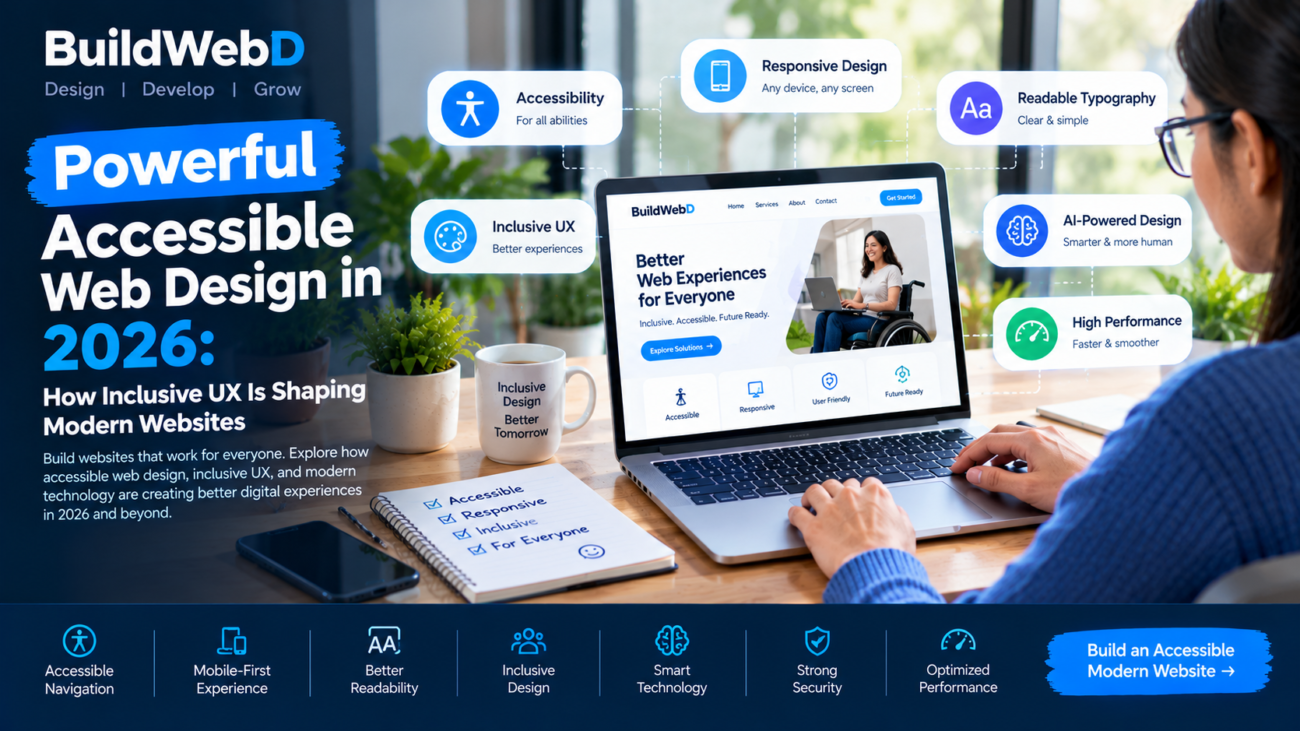
Accessible Web Design for Everyone

Powerful Accessible Web Design in 2026: How Inclusive UX Is Shaping Modern Websites

Web design is no longer only about creating attractive pages. Modern websites need to be easy to navigate, fast to use, responsive across devices, and accessible to as many people as possible. As digital experiences become more sophisticated, accessible web design in 2026 is becoming an important part of building websites that work effectively for different users and situations.

Accessibility is also closely connected with good user experience. Clear navigation, readable typography, sufficient color contrast, keyboard-friendly interactions, meaningful buttons, and responsive layouts can make websites easier to use for everyone. Modern web guidance from Google emphasizes building websites that are accessible, fast, secure, and usable across browsers and devices.

What Is Accessible Web Design?

Accessible web design means creating websites that people with different abilities can use effectively. This includes people who may have visual, hearing, mobility, cognitive, or other accessibility needs.

However, accessibility is not only about permanent disabilities. Someone may temporarily have an injury that makes mouse usage difficult, experience poor lighting that makes a screen harder to read, or use a slow connection while traveling.

Accessible web design in 2026 therefore focuses on creating flexible experiences that can adapt to different users, devices, and circumstances.

Why Accessibility Matters in Modern Web Design

A website can look visually impressive and still provide a poor experience if users cannot understand its content or navigate its interface.

For example, a low-contrast text color can make content difficult to read. A navigation menu that works only with a mouse can create problems for keyboard users. Small touch targets can make mobile interaction frustrating.

Accessibility encourages designers to consider these situations during the design process instead of trying to fix them after the website has already been built.

Accessible Navigation Is Becoming Essential

Navigation is one of the most important elements of a website. Visitors should be able to understand where they are, what information is available, and how to move between pages.

Modern accessible navigation should have clear labels, logical structure, visible focus states, and keyboard support. Designers should avoid unnecessarily complicated menus that force users to search for basic information.

A simple navigation structure can also benefit businesses because visitors can reach important pages more quickly.

Typography and Readability

Typography plays a major role in website accessibility. Designers need to consider font size, line spacing, character spacing, paragraph width, and visual hierarchy.

A modern website should make important information easy to scan without forcing visitors to read large blocks of tightly packed text.

Responsive typography is particularly important because users may access the same website on a large desktop monitor, tablet, or smartphone.

Modern CSS capabilities are also giving designers more options for responsive and adaptive interfaces. The 2026 Baseline includes newer CSS features such as container style queries, field-sizing, and other capabilities that can support modern interface development.

Better Color Contrast and Visual Clarity

Color is an important part of branding and visual design, but it should not be the only method used to communicate information.

For example, a form should not rely only on red and green colors to indicate errors and success. Icons, text labels, and other visual indicators can provide additional context.

Designers should also make sure that important text has sufficient contrast against its background.

Accessible web design in 2026 treats color as part of a larger communication system rather than simply a decorative choice.

Designing for Keyboard and Touch Users

Not every visitor interacts with a website using a mouse.

Some users rely on keyboards, assistive technologies, touchscreens, voice interfaces, or other input methods. Websites therefore need interaction patterns that work across different methods of navigation.

Buttons, links, forms, menus, and interactive components should provide clear states and predictable behavior.

This approach also improves the overall usability of websites because visitors can interact with interfaces more confidently.

Mobile Accessibility Is Part of Modern UX

Mobile-first design has become a standard part of modern web development, but responsive design alone does not guarantee accessibility.

Mobile websites need appropriately sized touch targets, readable text, simple navigation, responsive layouts, and content that remains understandable on smaller screens.

Designers should also consider orientation changes, different screen sizes, browser settings, and user preferences.

Google’s responsive-design guidance specifically includes accessibility, different input mechanisms, screen configurations, and user preferences as important parts of modern responsive experiences.

Accessibility and AI-Powered Web Design

AI is increasingly being used to create layouts, prototypes, content, components, and design systems. This can accelerate the web-design process, but AI-generated interfaces still require human review.

A generated interface might contain poor contrast, unclear interaction patterns, missing labels, or accessibility problems.

This makes accessibility testing even more important as AI becomes part of design and development workflows.

The goal should not simply be to generate websites faster. The goal should be to create websites that remain usable, understandable, maintainable, and accessible.

Performance and Accessibility Work Together

Website performance is another important part of the user experience. A visually impressive website can still frustrate visitors if pages take too long to load or interactions respond slowly.

Modern web development increasingly connects design decisions with performance. Large images, unnecessary animations, excessive scripts, and heavy components can affect the experience.

Designers should therefore think about performance while creating layouts rather than leaving optimization entirely to developers.

Accessible Design Can Support Better Business Experiences

Accessibility can also contribute to clearer business communication.

When websites use simple navigation, readable content, descriptive buttons, logical layouts, and consistent design systems, visitors can understand products and services more easily.

For businesses, this can make important actions such as contacting a company, requesting a quote, booking a service, or completing a purchase easier to understand.

Accessible design should therefore be considered part of user experience strategy rather than simply a technical requirement.

How Businesses Can Improve Website Accessibility

Businesses can begin with a practical accessibility review. Check whether the website can be navigated using a keyboard, whether text has adequate contrast, whether images have meaningful alternative text, and whether forms provide clear labels and error messages.

Designers should also review headings, navigation, buttons, links, mobile layouts, animations, and interactive components.

Accessibility testing should happen throughout the design and development process rather than only before launch.

Teams can also build accessible components into their design systems. This makes accessibility easier to maintain when new pages and features are added.

The Future of Accessible Web Design

The future of web design is likely to involve greater personalization, AI-assisted interfaces, responsive experiences, and increasingly sophisticated web technologies. At the same time, the fundamental need for clear and inclusive user experiences will remain.

Accessible web design in 2026 represents a shift toward designing websites around real users rather than an imaginary “average” visitor.

The best digital experiences combine attractive visual design with usability, accessibility, performance, responsive behavior, and clear communication.

Conclusion

Modern websites need to do more than look good. They need to work across devices, support different interaction methods, communicate information clearly, and provide a reliable experience for a wide range of users.

Accessible web design in 2026 is becoming an important approach for businesses that want to create websites that are inclusive, usable, and prepared for the future. By combining accessible navigation, readable typography, strong contrast, responsive layouts, keyboard support, performance optimization, and thoughtful AI-assisted design, businesses can create stronger digital experiences.

For companies looking to build modern, user-focused websites, BuildWebD can help turn accessibility, responsive design, performance, and modern technology into a practical website experience that supports both users and business goals.

AI security platforms in 2026

Powerful AI Security Platforms in 2026: How Businesses Are Securing AI Systems

Artificial intelligence is becoming part of software, customer service, business operations, analytics, cybersecurity, and everyday digital workflows. As organizations adopt more AI-powered applications, securing these systems is becoming an important part of modern Information & Technology strategy. AI security platforms in 2026 are emerging as a way for businesses to manage AI risks while continuing to use AI for productivity and innovation.

AI security is no longer limited to protecting traditional servers or databases. Organizations now need to consider AI models, prompts, data, APIs, agents, applications, user permissions, and automated actions. This changing environment is creating demand for security technologies designed specifically for AI-powered systems.

What Are AI Security Platforms?

AI security platforms are technologies designed to monitor, protect, and control AI applications and AI-powered workflows. They can help organizations identify AI usage, protect sensitive information, manage access, detect suspicious activity, and establish security policies.

Traditional cybersecurity tools remain important, but AI applications introduce additional risks. For example, an AI system may process confidential information, interact with external tools, connect to business databases, or allow an AI agent to perform actions automatically.

This makes AI security platforms in 2026 an important part of the broader enterprise security environment.

Why AI Security Is Becoming More Important

Businesses are adopting generative AI, AI assistants, AI-powered software, and autonomous agents at a rapid pace. These technologies can improve productivity, but they also create new security considerations.

An employee might accidentally enter confidential information into an AI application. An AI application could expose sensitive data through an improperly configured integration. An AI agent could also receive more permissions than it actually needs.

Security teams therefore need greater visibility into how AI is being used. They also need ways to establish policies, monitor activity, and respond when AI-related security problems occur.

Protecting Sensitive Business Data

Data is one of the most important assets handled by AI systems. Businesses may use customer information, financial records, internal documents, product information, source code, and other sensitive data with AI applications.

AI security solutions can help organizations establish rules around what information AI systems are allowed to access and process. Data protection can also include monitoring prompts, controlling application access, and identifying potentially sensitive information.

Businesses should avoid treating AI tools as completely separate from their existing data-security strategy. AI security should work alongside identity management, encryption, access controls, monitoring, and traditional cybersecurity practices.

Managing AI Access and Permissions

AI agents can increasingly interact with software, APIs, databases, and business systems. This creates a new challenge: determining what an AI system is actually allowed to do.

For example, an AI assistant used for customer support may need access to customer records but should not automatically have permission to modify financial information. A development agent may need access to code repositories but should not have unrestricted access to production systems.

AI security platforms in 2026 can help organizations create stronger controls around AI identities, permissions, and activities. The principle of least privilege is particularly important because limiting unnecessary access can reduce the potential impact of a compromised or misused AI system.

Defending Against Prompt Injection

Prompt injection is another important AI security concern. It occurs when manipulated instructions influence an AI system to ignore intended behavior, reveal information, or perform an unintended action.

The risk becomes more significant when AI applications are connected to external tools or internal business systems.

Businesses can reduce these risks by combining input validation, access controls, monitoring, application security, and human oversight. AI security platforms can provide additional visibility into AI interactions and help security teams identify suspicious behavior.

Securing AI Agents

AI agents are changing how businesses think about automation. Instead of simply generating an answer, an agent may be able to plan tasks, use tools, retrieve information, and complete multiple steps.

This creates a larger security surface. The more actions an AI agent can perform, the more important it becomes to control its permissions and monitor its activity.

Organizations should define which actions agents can perform independently and which actions require human approval. High-impact operations should receive stronger controls than low-risk activities.

Monitoring AI Applications

Visibility is essential for effective security. Organizations cannot easily protect AI systems if they do not know which AI applications are being used, what data they access, or what actions they perform.

AI monitoring can include application discovery, user activity, model interactions, API usage, data movement, policy violations, and unusual behavior.

Centralized visibility can help IT and security teams understand the organization’s AI environment and identify potential weaknesses before they become larger problems.

AI Security and Software Development

AI is increasingly involved in software development. Developers may use AI assistants to generate code, review code, troubleshoot errors, or accelerate application development.

This creates both opportunities and risks. AI-generated code still needs security testing, code review, dependency analysis, and proper deployment controls.

Development teams should integrate AI security into the software development lifecycle rather than treating it as a final-stage security check. Secure coding practices, automated testing, dependency monitoring, and access management remain important.

AI Governance Is Becoming Part of IT Strategy

AI security is closely connected with governance. Businesses need clear rules covering approved AI applications, sensitive data, user permissions, third-party AI services, agent behavior, and incident response.

A practical AI governance strategy should answer questions such as:

Which AI tools can employees use?

What business information can AI applications access?

Which AI agents can perform automated actions?

When is human approval required?

How should AI-related security incidents be reported?

Who is responsible for monitoring AI systems?

Clear answers can help organizations adopt AI without creating uncontrolled technology environments.

How Businesses Can Prepare for AI Security

Businesses do not need to transform their entire technology environment overnight. A practical approach is to start by identifying existing AI usage.

Organizations can create an inventory of AI applications, models, agents, APIs, and integrations. They can then classify sensitive data, review permissions, establish acceptable-use policies, and implement monitoring.

Security teams should also test AI applications for common risks such as unauthorized access, data leakage, prompt manipulation, insecure integrations, and excessive agent permissions.

Regular security reviews are important because AI systems and their integrations can change quickly.

The Future of AI Security Platforms in 2026

The future of AI security will increasingly involve centralized visibility, automated monitoring, stronger identity controls, AI-specific application security, and governance.

As organizations deploy more AI agents and intelligent applications, security tools will need to understand not only traditional software behavior but also AI-specific interactions and automated decision workflows.

AI security platforms in 2026 are therefore becoming part of a broader shift toward secure, controlled, and observable AI adoption. Businesses that build security into AI projects from the beginning can create stronger foundations for future digital transformation.

Conclusion

AI is becoming a major part of modern technology, but successful AI adoption requires more than powerful models and applications. Businesses also need strong security, governance, monitoring, and access controls.

AI security platforms in 2026 can help organizations protect AI applications, manage sensitive data, control AI agents, monitor activity, and respond to emerging risks. The goal is not to slow down innovation but to create a safer environment in which businesses can use AI confidently.

As AI continues transforming Information & Technology, companies need technology partners that understand both innovation and security. BuildWebD can help businesses build modern digital solutions with scalable development, AI integration, security-focused practices, and technology strategies designed for the evolving digital landscape.