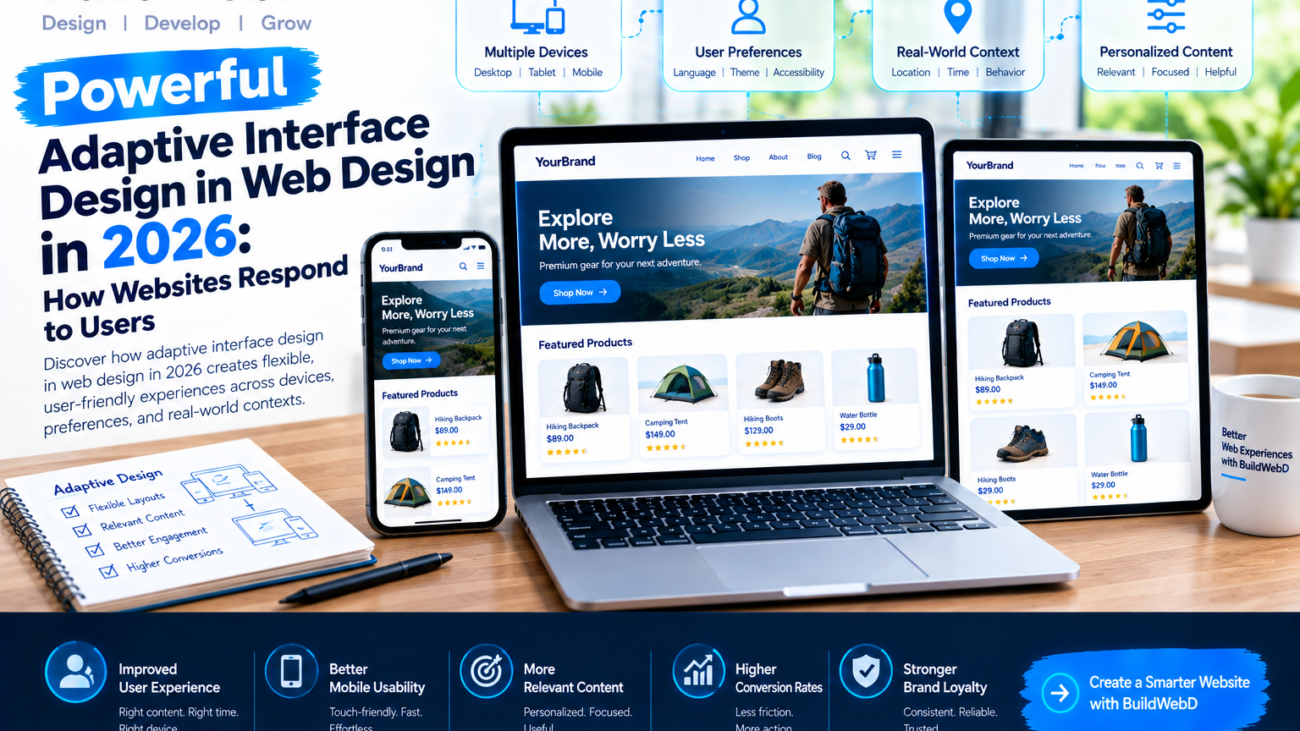
adaptive interface design in web design in 2026

Powerful Adaptive Interface Design in Web Design in 2026: How Websites Respond to Users

A modern website needs to do more than look attractive. It should help visitors find information quickly, complete tasks easily, and navigate comfortably across different devices. As digital expectations evolve, designers are exploring interfaces that respond more intelligently to screen sizes, user preferences, and browsing contexts.

This is why adaptive interface design in web design in 2026 is becoming an important concept for businesses planning their next website. Instead of presenting every visitor with exactly the same experience, designers can create flexible interfaces that adjust selected elements while keeping navigation and branding consistent.

The goal is simple: make websites more useful without making them complicated.

What Is Adaptive Interface Design?

Adaptive interface design is an approach to creating digital experiences that adjust certain interface elements according to available space, device capabilities, user preferences, or relevant context.

For example, an online store might display a detailed product comparison on a desktop screen while presenting a simpler, touch-friendly product view on a mobile device. A business dashboard could prioritize frequently used tools for different user roles.

It is useful to distinguish adaptive interfaces from responsive design. Responsive design primarily adjusts layouts to fit different screen sizes and conditions. Adaptive interfaces can go further by changing content priorities, interaction patterns, or available features according to defined rules or user needs.

Both approaches can work together to create more effective websites.

Why This Matters in 2026

Visitors expect websites to be easy to use whether they arrive from a smartphone, laptop, tablet, or another connected device. They also expect clear navigation, fast-loading pages, and relevant information without unnecessary distractions.

Recent 2026 UI design coverage highlights personalization and adaptive experiences alongside accessibility, purposeful motion, and simpler interfaces. These developments reflect a broader focus on usability rather than visual novelty alone. <Cite refs={[“turn490906search0″,”turn490906search1”]} />

For businesses, adaptive interface design in web design in 2026 offers a way to align digital experiences with real user tasks. A customer visiting a service website may need quick access to contact details, while an existing customer may need account tools or support resources.

A thoughtfully designed interface can make these priorities easier to discover without forcing users to learn an entirely new layout.

Key Benefits of Adaptive Interfaces

1. Better User Experience

A flexible interface can reduce unnecessary steps and help visitors focus on the actions that matter. Clearer layouts, relevant content, and intuitive controls make websites easier to navigate.

2. Improved Mobile Usability

Mobile users have limited screen space and often interact through touch. Interfaces designed around these constraints can prioritize essential information, provide appropriately sized controls, and avoid overcrowded navigation.

3. More Relevant Content

Depending on the website, interfaces can display content based on a user’s selected preferences, account role, or current task. Personalization should be transparent and useful rather than intrusive.

4. Stronger Conversion Opportunities

When visitors can understand a product, locate pricing, and complete a form without friction, the path toward a purchase or inquiry becomes clearer. Adaptive design can support these goals, although results depend on implementation and user testing.

5. More Flexible Website Systems

Reusable components and consistent design rules allow teams to improve individual interface elements without rebuilding the entire website. This can make future updates easier to manage.

Practical Examples of Adaptive Web Design

Consider an e-commerce website. On a large display, product cards might include detailed specifications, comparison options, and several filters. On a smaller screen, the same experience could prioritize product images, prices, essential specifications, and a clear purchase button.

A business website can also adapt to different visitor needs. A first-time visitor might see an introduction to the company’s services, while a returning customer can quickly access support or project information through a clearly organized interface.

In dashboards, role-based layouts can help employees find relevant tools without overwhelming them with features they rarely use.

These examples show how adaptive interface design in web design in 2026 can focus on practical improvements rather than simply changing colors, animations, or decorative effects.

Best Practices for Building Adaptive Interfaces

Start With User Research

Understand who visits your website, what they want to accomplish, and where they encounter difficulties. Analytics, interviews, usability testing, and customer feedback can reveal which parts of the interface need improvement.

Establish a Consistent Design System

Create reusable components, typography rules, spacing standards, and interaction patterns. A strong design system allows flexible layouts to change without making the website feel inconsistent.

Keep Navigation Predictable

Adaptation should not make familiar controls disappear unexpectedly. Keep important navigation patterns recognizable and make significant interface changes easy to understand.

Prioritize Accessibility

Use readable typography, adequate color contrast, keyboard-friendly controls, descriptive labels, and meaningful focus indicators. Respect preferences such as reduced motion and avoid relying exclusively on color to communicate information.

Protect Privacy

If personalization uses visitor behavior or account data, explain what information is collected and provide appropriate controls. Use only the data needed to improve the experience, and follow applicable privacy requirements.

Test Real Devices and User Journeys

Evaluate layouts on different screen sizes, browsers, and input methods. Test common tasks such as finding a service, comparing products, submitting a form, and contacting support.

Successful adaptive interface design in web design in 2026 depends on careful testing, not assumptions about what users want.

Common Mistakes to Avoid

One frequent mistake is adding adaptation simply because it sounds innovative. If a changing interface does not help visitors complete a task, it may create more confusion than value.

Another problem is excessive personalization. Moving buttons, changing navigation labels, or hiding frequently used controls can make a website feel unpredictable. Keep the core structure stable and adapt secondary elements when there is a clear benefit.

Designers should also avoid heavy animations, unnecessary scripts, and large media assets that slow down pages. Performance, accessibility, and content clarity remain essential regardless of how advanced the interface becomes.

Finally, do not rely entirely on automated personalization. Human review and user testing help ensure that changes remain understandable, inclusive, and aligned with business goals.

The Future of Adaptive Interface Design

Web interfaces are likely to become more context-aware as design systems, browser capabilities, and personalization tools evolve. AI may help suggest relevant content or reorganize selected interface elements, but these features should remain predictable and give users meaningful control.

The most effective websites will not necessarily be the ones that change the most. They will be the ones that make the right information easy to find while preserving trust, consistency, and speed.

Businesses adopting adaptive interface design in web design in 2026 should therefore focus on measurable usability improvements instead of following every new design trend.

Conclusion

Adaptive interface design in web design in 2026 represents a practical shift toward websites that respond to users’ needs while maintaining a consistent, recognizable experience. By combining responsive layouts, relevant content, accessible controls, and thoughtful personalization, businesses can build websites that are easier to navigate and more effective at supporting customer goals.

The best results come from understanding visitors, testing real interactions, protecting privacy, and keeping performance at the center of every design decision.

At BuildWebD, we believe great web design combines creativity with usability and technical reliability. Whether you are launching a new website or improving an existing one, our goal is to help you create a modern digital experience that serves your users and supports your business growth.

Ready to improve your website? Create a smarter, user-focused digital experience with BuildWebD.

confidential computing in information technology in 2026

Powerful Confidential Computing in Information Technology in 2026: How Data Stays Protected During Processing

Businesses rely on cloud platforms, artificial intelligence, digital payments, and connected applications to manage sensitive information. However, protecting data while it is stored or transferred is only part of the cybersecurity challenge. Information must also remain secure while applications actively process it.

This is where confidential computing in information technology in 2026 becomes increasingly important. This approach helps protect sensitive information during processing by isolating workloads inside hardware-based trusted execution environments. It gives organizations another layer of security as they modernize their digital infrastructure.

From financial services to healthcare and enterprise AI, confidential computing can help businesses strengthen privacy, improve trust, and reduce certain risks associated with processing sensitive data.

What Is Confidential Computing?

Confidential computing is a security approach designed to protect data while it is being processed. Traditional security measures commonly focus on data at rest, such as files stored on a server, and data in transit, such as information moving between an application and a cloud service.

Data in use presents a different challenge because applications must access information to perform calculations, generate results, or execute transactions.

Confidential computing addresses this challenge through trusted execution environments (TEEs). These hardware-supported environments isolate selected workloads and help prevent unauthorized access to their contents, including from certain privileged software or infrastructure layers.

The exact protection depends on the processor, platform design, configuration, and threat model. It is not a replacement for encryption, access controls, or secure application development. Instead, it adds another security layer to a broader protection strategy.

Why Confidential Computing Matters in 2026

As organizations adopt AI tools and move more workloads to cloud platforms, they increasingly need to process information that cannot be exposed unnecessarily. This includes financial records, customer details, business strategies, proprietary datasets, and confidential research.

Confidential computing in information technology in 2026 matters because it helps organizations address the security gap that can exist while sensitive data is actively being used.

For example, a company may need to analyze customer information through a cloud-based service without giving the cloud infrastructure unnecessary access to the underlying data. A suitable confidential computing deployment can help reduce exposure during that processing.

The approach is also relevant to AI workloads. Organizations may want to use sensitive business data with AI models while strengthening safeguards around the processing environment. As Gartner identifies confidential computing as a strategic technology trend, it deserves attention during infrastructure and security planning.

How Does Confidential Computing Work?

Confidential computing generally combines specialized hardware capabilities, trusted execution environments, and verification mechanisms.

First, a supported processor establishes an isolated execution area. An application or selected workload runs within this protected environment, separating its sensitive operations from other parts of the system.

Second, hardware-backed protections help restrict unauthorized access to the workload’s memory and execution state. Depending on the platform, these controls can reduce exposure to the host operating system, hypervisor, or other privileged components.

Third, remote attestation may allow a separate system to verify that a workload is running in an expected, trusted environment before releasing sensitive data or credentials. The verification process and security guarantees vary by implementation.

Finally, applications continue performing their normal tasks while the protected environment provides additional safeguards.

This is the core idea behind confidential computing in information technology in 2026: protect information not only when it is stored or transferred, but also while it is being processed.

Key Benefits for Modern Businesses

1. Stronger Data Privacy

Organizations can use confidential computing to limit exposure of sensitive information during processing. This is especially useful when workloads run on shared or externally managed infrastructure.

2. More Secure Cloud Workloads

Cloud computing provides flexibility, but businesses may have concerns about privileged access and infrastructure trust. Confidential computing can help reduce specific risks by isolating supported workloads.

3. Better Protection for AI Workloads

AI systems may process proprietary documents, customer records, or confidential datasets. Suitable confidential computing environments can add safeguards around certain data-processing operations, although they do not automatically prevent model-level leaks or insecure application behavior.

4. Improved Collaboration

Different organizations sometimes need to analyze shared information without broadly exposing their individual datasets. With appropriate architecture and governance, confidential computing can support more controlled collaboration.

5. Support for Security and Compliance Goals

Businesses handling regulated information can evaluate confidential computing as part of their broader security controls. However, using it does not automatically guarantee compliance with any specific law or industry standard.

Where Is Confidential Computing Used?

Confidential computing in information technology in 2026 has potential applications across several industries.

Banking and financial services: Financial institutions can explore protected environments for fraud analysis, risk calculations, and sensitive transaction processing.

Healthcare: Healthcare organizations may use suitable confidential environments when processing sensitive medical information, subject to applicable privacy requirements and system safeguards.

Artificial intelligence: Businesses can evaluate protected execution for selected AI inference and data-processing workloads involving confidential information.

Cloud services: Cloud providers and customers can use supported confidential virtual machines or containers to strengthen workload isolation.

Research and analytics: Organizations can investigate secure ways to collaborate on sensitive datasets while limiting unnecessary exposure.

The suitability of each use case depends on the technology, performance requirements, legal obligations, and the security threats the organization needs to address.

Challenges Businesses Should Consider

Despite its advantages, confidential computing is not a complete cybersecurity solution.

Compatibility is one challenge. Applications may require architectural changes or specific hardware and cloud services before they can use confidential environments effectively.

Performance is another consideration. Security features, memory limitations, and workload design can affect application speed and operating costs. Businesses should benchmark real workloads before making deployment decisions.

Key management and attestation also require careful planning. Teams must determine who can approve workloads, how credentials are released, and what happens if a system fails verification.

Most importantly, confidential computing cannot eliminate vulnerabilities inside an application. Weak authentication, malicious code, excessive permissions, insecure APIs, and poor data handling can still create security risks.

Before deploying confidential computing in information technology in 2026, businesses should define their threat model, assess platform capabilities, test performance, and establish monitoring and incident-response procedures.

How to Prepare Your IT Infrastructure

Start by identifying applications that process highly sensitive information. These may include customer databases, financial workloads, AI applications, or proprietary business systems.

Next, consult your cloud provider or hardware vendor to determine which confidential computing capabilities are available. Review the isolation model, attestation options, supported workloads, key management, and limitations.

Run a small pilot before migrating critical systems. Measure performance, test failure scenarios, and verify that the application behaves correctly inside the protected environment.

Finally, combine confidential computing with established security practices, including encryption, identity management, least-privilege access, secure coding, vulnerability testing, and regular audits.

A phased approach helps organizations understand the benefits and limitations before committing to a wider rollout.

The Future of Confidential Computing

As AI adoption and cloud-based operations continue to expand, protecting data during processing will remain an important part of security architecture. Confidential computing may become particularly valuable for organizations that need stronger trust boundaries around sensitive workloads.

Future developments will depend on hardware improvements, easier deployment tools, wider platform support, and clearer verification processes. Businesses should follow these developments without assuming that every workload requires confidential computing.

The strongest strategy is to select security controls according to the sensitivity of the data, the operating environment, and the consequences of unauthorized access.

Conclusion

Confidential computing in information technology in 2026 offers organizations an additional way to protect sensitive data while applications process it. By combining trusted execution environments, hardware-backed isolation, and verification mechanisms, businesses can strengthen security across selected cloud, analytics, and AI workloads.

However, successful adoption requires more than enabling a hardware feature. Organizations must evaluate their risks, choose compatible platforms, manage access carefully, and maintain strong application security practices.

At BuildWebD, we believe modern digital solutions should be designed with performance, reliability, and security in mind. Whether you are upgrading business applications or planning a more secure digital infrastructure, the right technology strategy can help your organization prepare for the future.